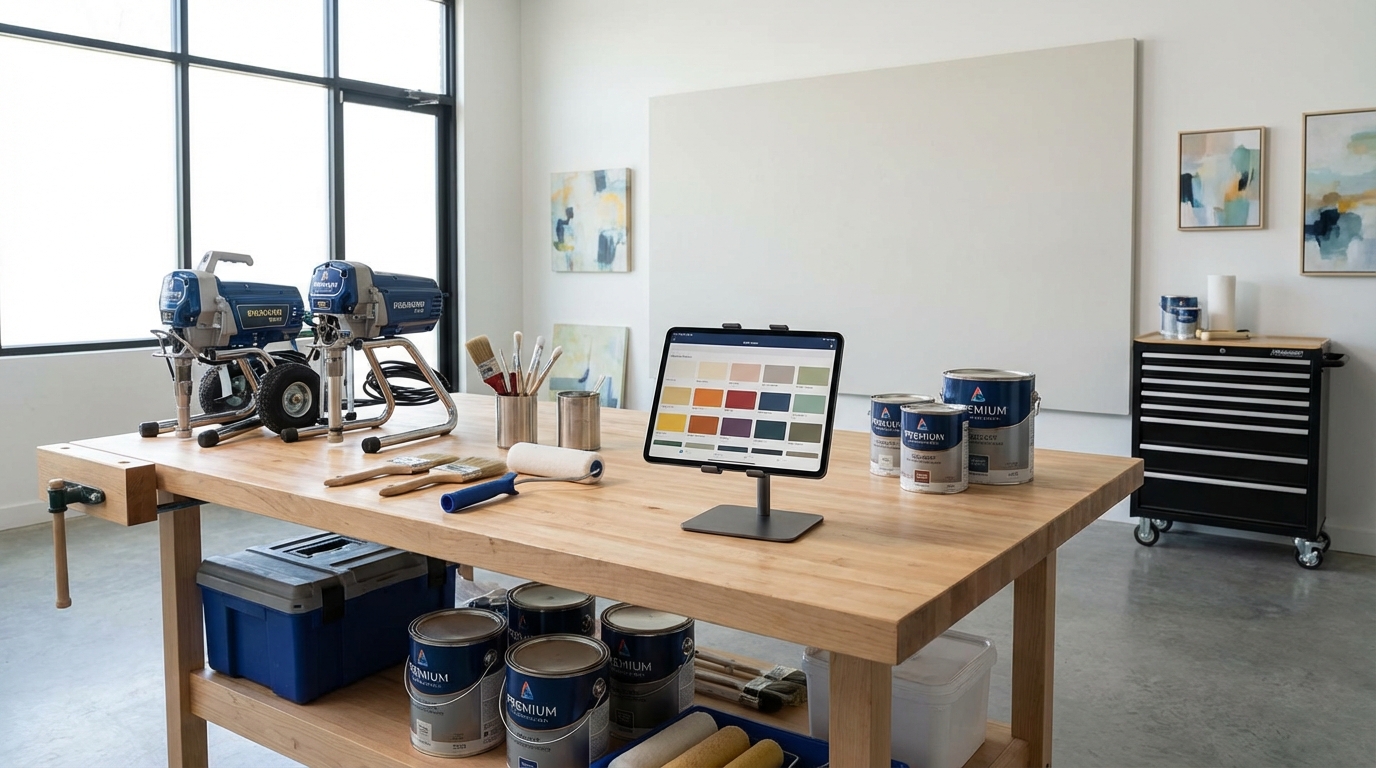
Muro for color visualization, PaintScout for estimating, Jobber for scheduling. That's the core stack most successful painters are running in 2026. Add a few specialty tools and you've got everything you need to run a professional operation without drowning in paperwork.
Five years ago I was tracking jobs on spreadsheets, texting estimates, and keeping color selections in a notebook that I lost twice. Now everything's in apps that sync across devices, and I've cut my admin time in half while taking on more work. Here's what's actually worth paying for.
Color visualization
Muro
What it does: Takes photos of actual client walls and shows how any paint color will look before buying a single can.
Why it matters: Clients used to squint at tiny chips and guess. Now they see exactly what Hale Navy looks like on their specific wall, with their lighting, their furniture. Decisions happen faster. Returns and repaints drop to near zero.
Cost: Free tier available, Pro subscription for unlimited visualizations
Best for: Client presentations, narrowing down options, preventing "that's not what I expected" conversations
Manufacturer apps
Benjamin Moore Color Portfolio, Sherwin-Williams ColorSnap, Behr ColorSmart
What they do: Color matching from photos, digital fan decks, finding colors by mood or room.
Limitations: Only show their own brand colors. Photo matching is approximate at best.
Best for: Quick lookups when you already know the brand, browsing collections
The verdict
Use Muro for client presentations and actual visualization. Use manufacturer apps for quick lookups and when you need formula codes.
Estimating and proposals
PaintScout
What it does: Estimating software built specifically for painters. Calculates square footage, generates professional proposals, tracks win/loss rates.
Why it matters: Consistent pricing across all estimates. Professional-looking proposals that clients can sign digitally. No more handwritten quotes that look amateur.
Cost: Starting around $100/month
Best for: Painters doing 10+ estimates per month who want to professionalize their sales process
Estimate Rocket
What it does: Similar to PaintScout, with more customization options for complex projects.
Why it matters: Better for shops doing commercial work or specialty coatings with complicated pricing structures.
Cost: Starting around $80/month
Best for: Commercial painters, multi-trade contractors
ProPainter
What it does: Mobile-first estimating with quick room-by-room calculations.
Why it matters: Fastest on-site estimating for residential work. Calculate a whole-house estimate while doing the walkthrough.
Cost: Starting around $50/month
Best for: High-volume residential painters who need speed over complexity
The verdict
PaintScout for most professional painters. ProPainter if you need quick mobile estimates. Estimate Rocket for complex commercial work.
Scheduling and job management
Jobber
What it does: Scheduling, dispatching, invoicing, client communication, and CRM in one platform.
Why it matters: One system tracks every job from lead to final invoice. Automated reminders reduce no-shows. Clients can book directly.
Cost: Starting around $50/month
Best for: Service businesses with multiple technicians, recurring clients
Housecall Pro
What it does: Similar to Jobber with stronger marketing automation and online booking.
Why it matters: Better for painters who want to grow through online lead capture and automated follow-ups.
Cost: Starting around $65/month
Best for: Growth-focused businesses investing in marketing
ServiceTitan
What it does: Enterprise-level field service management.
Why it matters: Handles complex routing, inventory, multiple locations, advanced reporting.
Cost: Custom pricing (typically $200+/month)
Best for: Large painting companies with 10+ crews
The verdict
Jobber for most painting businesses under 10 employees. Housecall Pro if marketing automation is a priority. ServiceTitan only if you've outgrown simpler tools.
Financial tools
QuickBooks Online
What it does: Accounting, invoicing, expense tracking, tax preparation.
Why it matters: Industry standard. Your accountant already knows it. Integrates with everything.
Cost: Starting around $30/month
Best for: Every painting business
Wave
What it does: Free accounting and invoicing.
Why it matters: Legitimately free for basic features. Good for solo painters just starting.
Cost: Free (paid add-ons for payroll, payments)
Best for: Solo painters, startups with tight budgets
Square
What it does: Payment processing, point of sale, invoicing.
Why it matters: Easy payment collection on-site. Clients can pay by card immediately after walkthrough.
Cost: 2.6% + $0.10 per transaction
Best for: Collecting deposits on-site, making payment easy for clients
The verdict
QuickBooks for actual accounting. Square for payment collection. Wave if you're just starting and watching every dollar.
Project documentation
CompanyCam
What it does: Photo documentation linked to job addresses. Before/after photos, progress tracking, team communication.
Why it matters: Automatic timestamps, GPS tagging, organization by job. Critical for documentation when issues arise later.
Cost: Starting around $20/month per user
Best for: Teams that need proof of work, complex projects with multiple phases
Buildertrend
What it does: Full project management including scheduling, documentation, client portals, budgeting.
Why it matters: Better for large remodeling projects where painting is one of many trades.
Cost: Starting around $100/month
Best for: Painters who do full renovations, not just painting
The verdict
CompanyCam if you just need photo documentation. Buildertrend if you're managing complex multi-trade projects.
Communication tools
Slack
What it does: Team messaging, channels by project, file sharing.
Why it matters: Gets communication out of text threads where things get lost.
Cost: Free tier available, paid starting around $8/user/month
Best for: Teams of 3+
Google Workspace
What it does: Email, calendar, drive, video calls.
Why it matters: Professional email domain, shared calendars, document storage. Basic business infrastructure.
Cost: Starting around $6/user/month
Best for: Every business
The verdict
Google Workspace is non-negotiable. Add Slack when your team outgrows group texts.
The minimum viable stack
Starting out? Here's the essentials:
- Muro - Color visualization (free tier)
- Wave - Accounting (free)
- Google Workspace - Email/calendar ($6/month)
- Square - Payments (transaction fees only)
Total: Under $10/month plus transaction fees
The professional stack
Established business with a few employees:
- Muro Pro - Color visualization
- PaintScout - Estimating ($100/month)
- Jobber - Job management ($50/month)
- QuickBooks - Accounting ($30/month)
- CompanyCam - Documentation ($20/month)
- Google Workspace - Infrastructure ($6/month)
Total: Around $200-250/month
Worth it when you're doing $10k+ monthly revenue.
Tools that aren't worth it
Color-matching gadgets
Handheld devices that claim to scan wall colors. Accuracy is inconsistent, and the paint store's spectrophotometer does this better for free.
All-in-one platforms
Software that tries to do everything (CRM + accounting + estimating + scheduling) usually does everything poorly. Specialized tools connected via integrations work better.
Free or cheap estimating apps
The time you waste fighting buggy software costs more than a proper tool subscription.
Start small, add as needed
Your tech stack should save you time, not create more work. Start minimal, add tools when you hit specific pain points.
The core trio for most painters: color visualization (Muro), estimating (PaintScout or similar), job management (Jobber or similar).
Everything else is optional until your business complexity demands it.